Ad tasks and partner tasks
Tasks are the main way to earn coins. There are two kinds: ad tasks and tasks from Purple partners.
Where to find them
Tasks: the switch at the top of the screen or a swipe from the left edge. Tabs: “New”, “Active” and “Completed”.
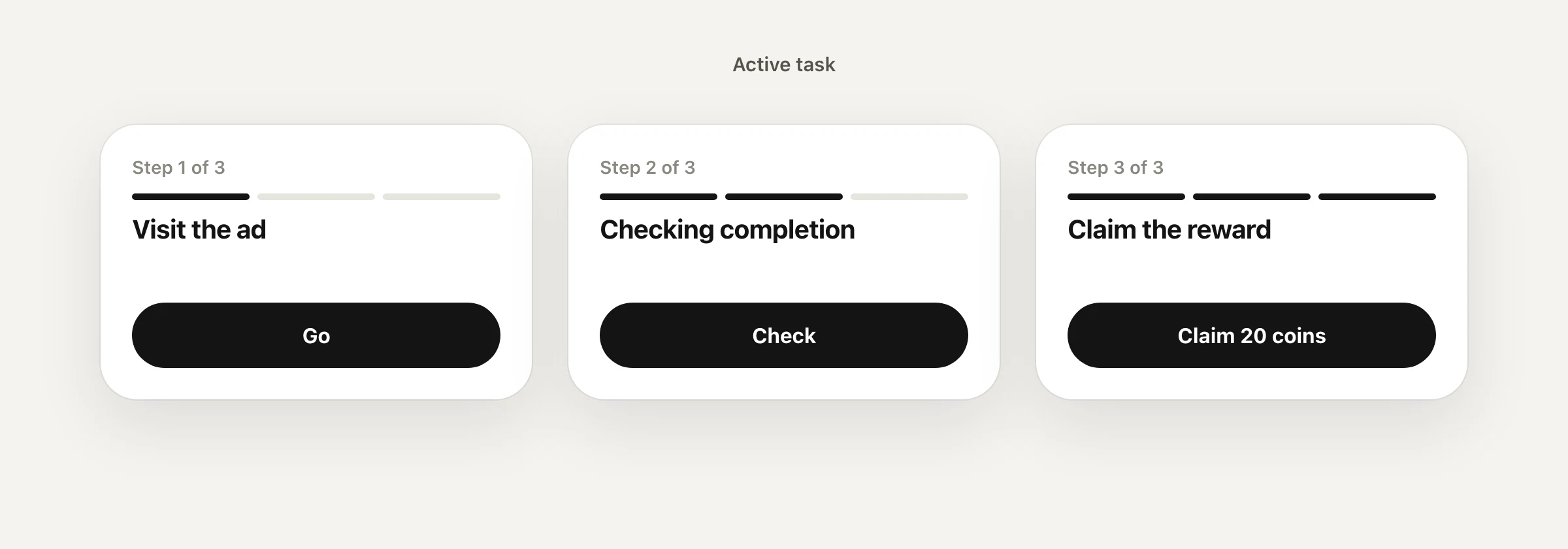
Ad task
The “Visit the ad” task means going to the advertiser and doing what they ask: joining a channel or launching an app. A confirmed task gives you 20 coins.
- Open Tasks and the “Visit the ad” card, then tap “Start the task”.
- Tap “Go” and do what the advertiser asks.
- Come back to Purple without closing it and tap “Check”.
- Once confirmed, tap “Claim 20 coins”.
Good to know
- Coins arrive only after “Claim”. A confirmed reward does not expire.
- After a reward there is a 60-minute pause before the next try.
- There is a daily limit: “today X of Y”. New tries start at midnight.
- New campaigns appear all the time: if there is no card right now, check back a little later.
Partner tasks
Tasks sometimes include offers from Purple partners — for example, connecting a profile on a partner site. The task card says what to do and how many coins you get.
- These tasks are one-time: the reward is credited once per account.
- The steps are on the task page: “Start the task” → action on the partner site → confirmation in Purple → “Claim”.
- The partner site is a separate service with its own rules. Purple pays only for the completed task.
- Cards marked “Coming soon” in the “In development” block cannot be completed yet.
If it says “Not credited”
“Not credited” means the ad network did not confirm the action. The reason is shown on the task screen.
Common reasons
- You came back too fast. A visit shorter than 3 seconds does not count. Tap “Visit the ad again”, do the action and only then come back.
- The network did not confirm within a minute. Tap “Check again” or visit the ad again.
- This campaign is already paid. One campaign, one reward.
- Today’s limit is used up. New tries start at midnight.
- Too soon after the previous task. Wait for the pause to end.
- The reward is under manual review. No need to repeat.
- Purple closed during the visit. The confirmation did not arrive: repeat and come back without closing Purple.
VPNs, emulators, repeated clicks or several accounts do not help: such actions are not credited.
Updated 24 September 2026Write to support