Exchange and withdrawal: card and Telegram Wallet
Right now coins can be exchanged for dollars and withdrawn from $1 to a Visa or Mastercard card or Telegram Wallet.
Exchanging coins for dollars
Withdrawals are in dollars, so coins are exchanged first. Exchange is the round ⇅ button next to the balance on the Home screen.
- Tap ⇅ — “Coins → Dollars” opens.
- Enter the number of coins or tap “Available” to exchange everything.
- Check the dollar amount and tap “Exchange”.
- The 17% fee is already included: 1,000 coins give ≈ $0.83.
- Dollars can be exchanged back to coins with no fee.
- All numbers are on Rates and limits.
Withdrawal to a card
You can withdraw dollars to a Visa or Mastercard card from $1. Only the card number and the cardholder name in Latin letters are needed.
How to link a card
- Settings → “Account” → “Bank card”.
- Enter the card number and tap “Next”.
- Enter the cardholder name in Latin letters, exactly as on the card.
- Check the details, tick the box and tap “Link a card”.
The expiry date and CVV are not needed: the bank checks the name. Never share your CVV or PIN.
How to withdraw
- On the Home screen, tap “Withdraw”.
- Switch the method to the card.
- Enter an amount from $1 and tap “Withdraw”.
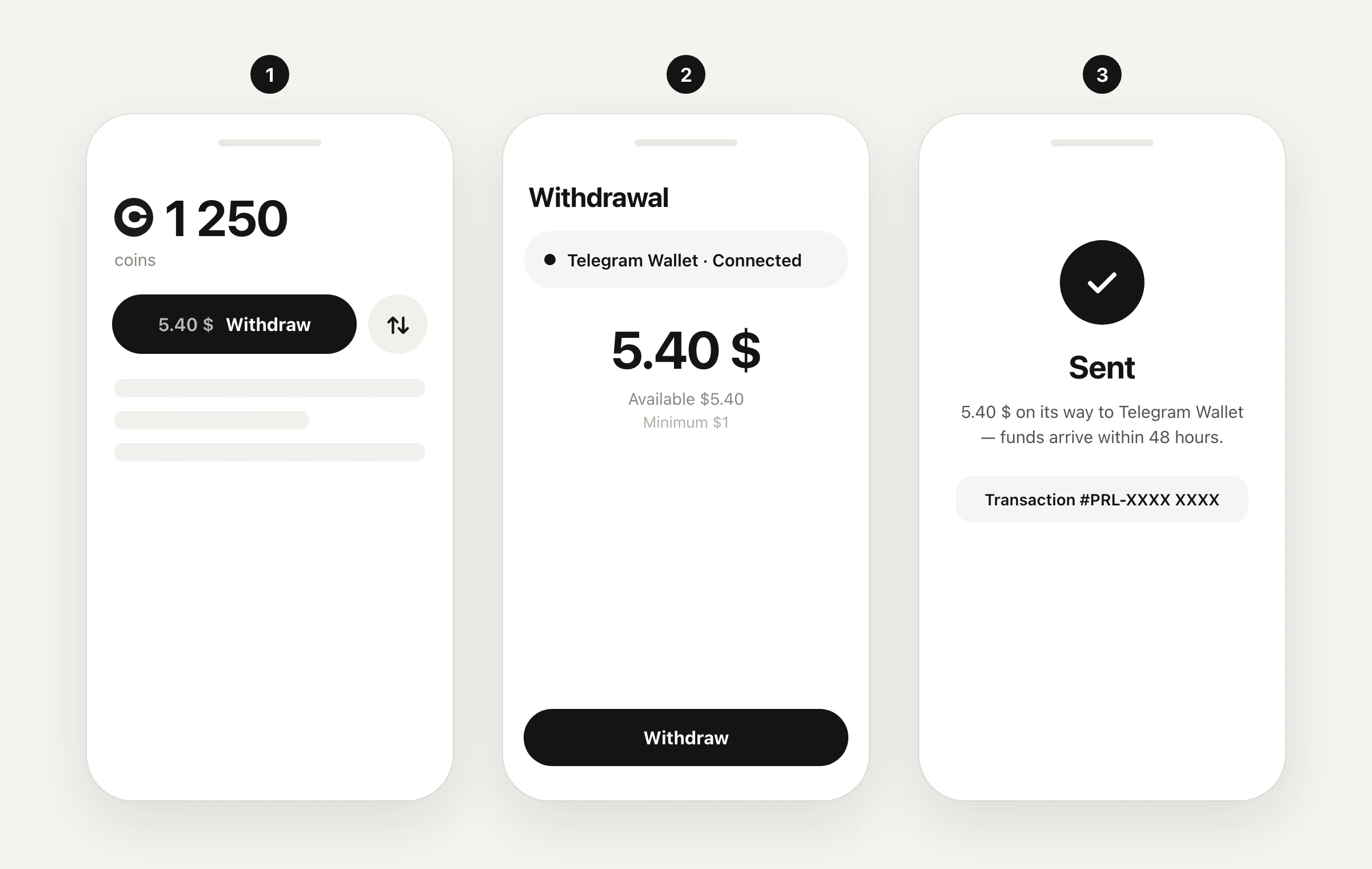
After “Sent” you will see the request number “Transaction #PRL-XXXX XXXX”. Money arrives within 48 hours; every payout is checked manually.
Withdrawal to Telegram Wallet
You can withdraw dollars to Telegram Wallet, the wallet built into Telegram. The minimum is $1.
How to connect Wallet
Settings → “Account” → “Telegram Wallet” → confirm the connection in Wallet. Step by step with pictures: How to connect Telegram Wallet.
How to withdraw
- On the Home screen, tap “Withdraw”.
- Choose “Telegram Wallet · Connected”.
- Enter an amount from $1 and tap “Withdraw”.
The request status is shown on the Home screen (“Transfer in progress”) and in “Box and withdrawal history”. The history row currently says “Telegram Wallet” even for card payouts — the method is shown in the “Sent” message.
After the switch to the token
Exchanging for dollars and withdrawing through Purple will be closed. More in From coin to token.